
netTerrain 10.2 is live. 10.2 introduces depth-aware rack and cabinet modeling, Butterfly Layout automation for manhole diagrams, easier circuit editing, direct strand-to-strand fusing, and improvements to IPAM, imports, link editing, device identification, table navigation, security, and PDF export.
These updates help you document physical infrastructure, connectivity, fiber, and IP resources more accurately as your environment changes. To see several of the enhancements in action, watch the “What’s New in netTerrain 10.2” video from Director of Customer Support Jason Sherman.
Major netTerrain Enhancements
Depth-Aware Rack and Cabinet Modeling
Rack depth checks help prevent equipment mounted on opposite sides of a cabinet from exceeding the available space.
Physical depth can be assigned to equipment in racks configured for coupled front-and-back mounting. When depth validation is enabled, netTerrain checks the rack’s physical depth, the depth of devices mounted on opposite sides, and the minimum required gap before allowing placement.
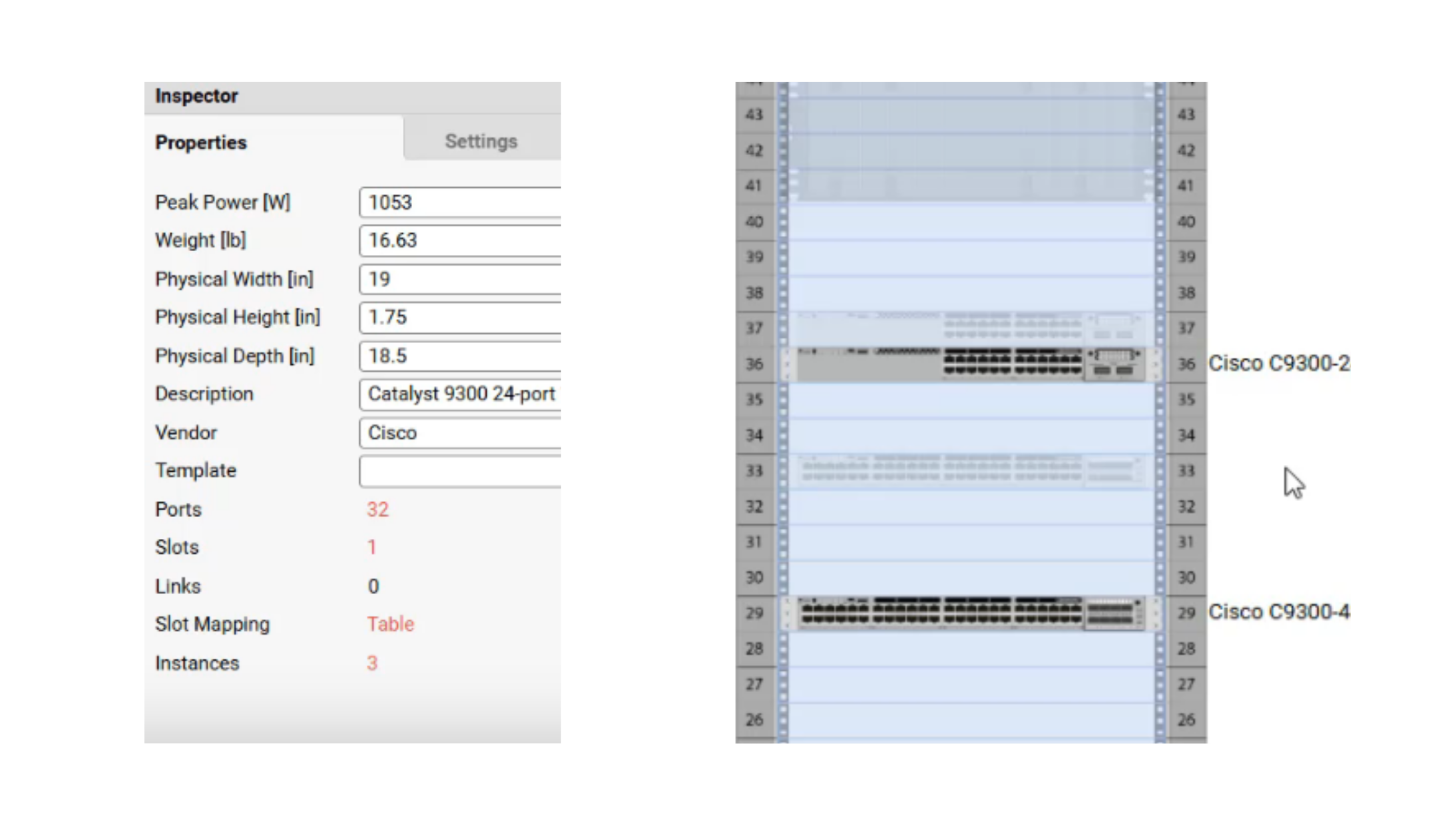
Device depth values help netTerrain validate front-to-back equipment placement in supported rack and cabinet configurations.
Butterfly Layout Automation for OSP Diagrams
Butterfly Layout automation shows how supported links enter, leave, or pass through manholes, vaults, splice enclosures, and similar outside-plant structures.
Once the relevant object and link types are configured, netTerrain generates Link Entries and arranges them by direction. Bundled links that pass through the structure are routed through the center of the diagram, and the layout can also be applied manually to reorganize the view.
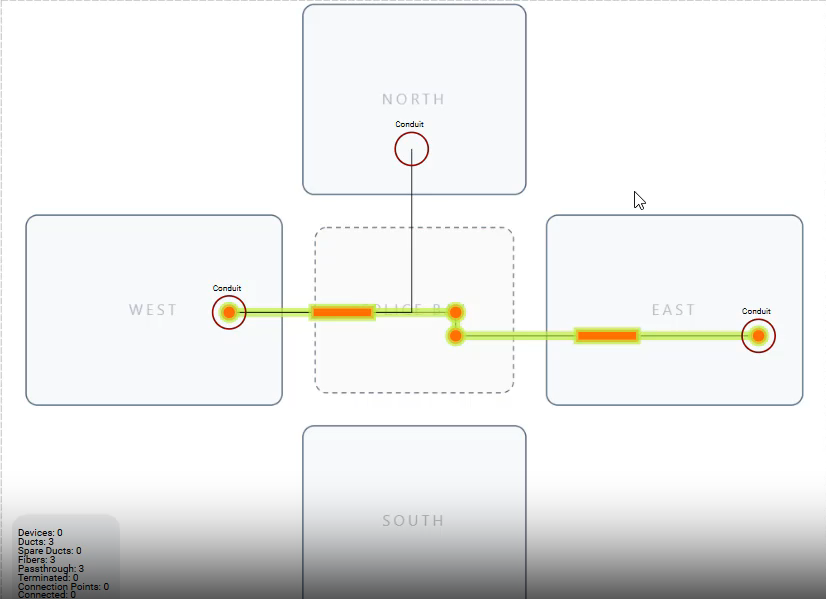
Butterfly Layout arranges Link Entries by direction and routes passing-through bundled links through the center of the manhole diagram.
Easier Circuit Editing and Extension
Existing circuits can now be extended or updated as network paths change.
You can extend either end of a circuit to a directly connected device with an available connection. netTerrain adds the new links to the existing path, so the circuit does not have to be recreated from scratch. You can also update the route while preserving the circuit’s identity and properties.
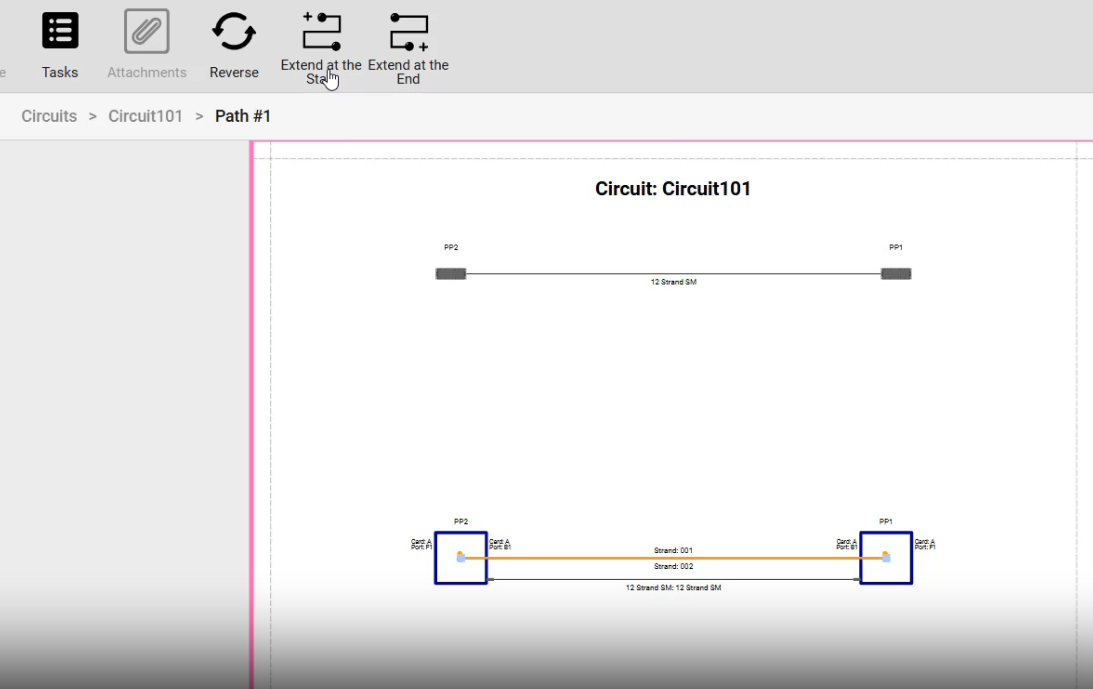
Extend at the Start and Extend at the End add connected hops to an existing circuit path.
Direct Strand-to-Strand Fusing
netTerrain 10.2 lets you fuse, or splice, a strand directly to a strand in another fiber cable without using an intermediate device or port.
The fusion is created through the Strand Termination dialog and displayed in the Link Circuit Layout Record, or Link CLR. This documents field splices where two fiber-cable segments are joined directly. Circuits containing fused strands can be created from the Link CLR.
Minor netTerrain Enhancements
IPAM and Device Identification
- New orphan IP addresses report
- Ability to manage multiple IPAM exceptions at once
- Ability to move a subnet from one folder to another
- Support for stacked switches from Aruba and Cisco
- Auxiliary OID support for matching devices with a secondary OID value in addition to the sysObjectID
Link Editing and Usability
- Ability to change link endpoint connections involving hidden objects
- Ability to select link endpoints from anywhere in the project
- Multiple-item selection in table navigation
- Ability to temporarily hide dynamic maps
Hidden objects can now appear in the endpoint list and be temporarily highlighted while you change a link. This lets you redirect the connection without first making the destination visible on the diagram.
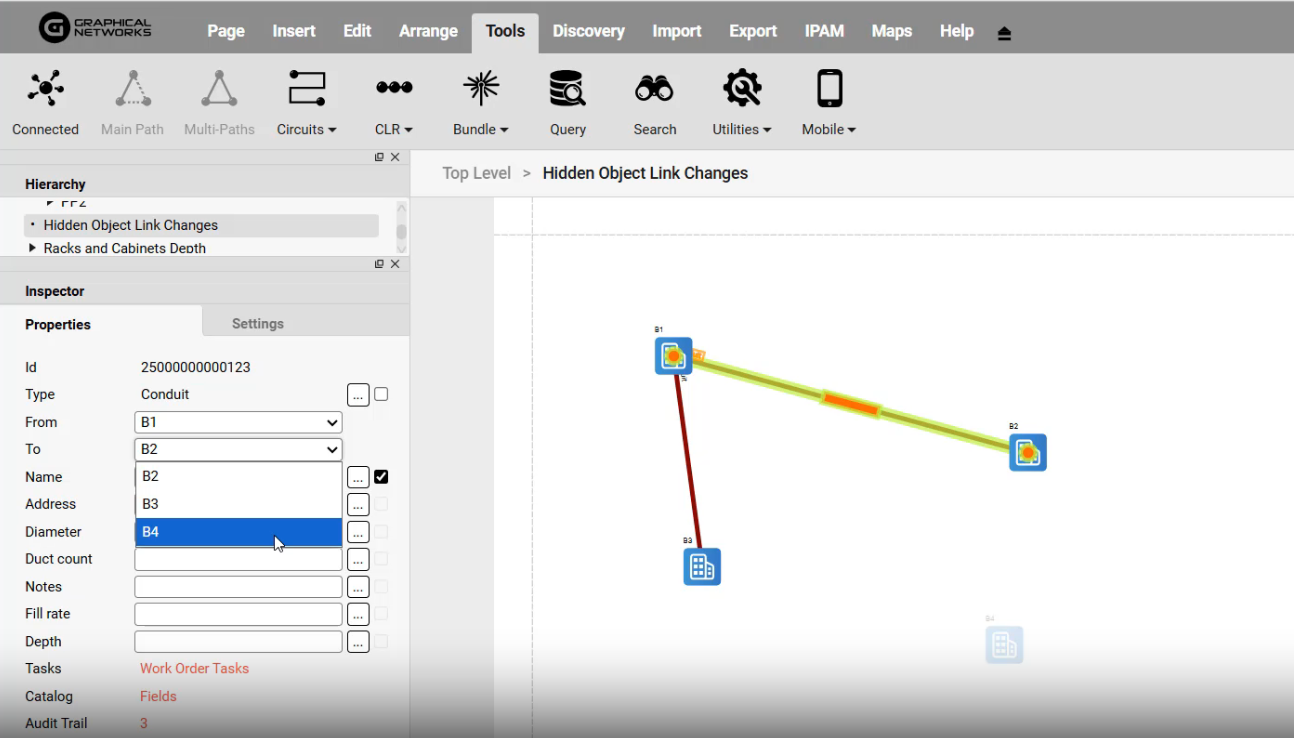
A link can be reassigned to a hidden object without first making the destination visible.
Imports, Security, and Exports
- Support for importing Air-Blown Fiber, or ABF, from Excel
- Various security enhancements and improvements
- Multiple improvements to PDF export
Together, these enhancements give you more control over documenting and maintaining physical infrastructure, connectivity, fiber, and IP resources.
For additional release details, see the netTerrain 10.2 release notes.
Until next time, happy documenting!
