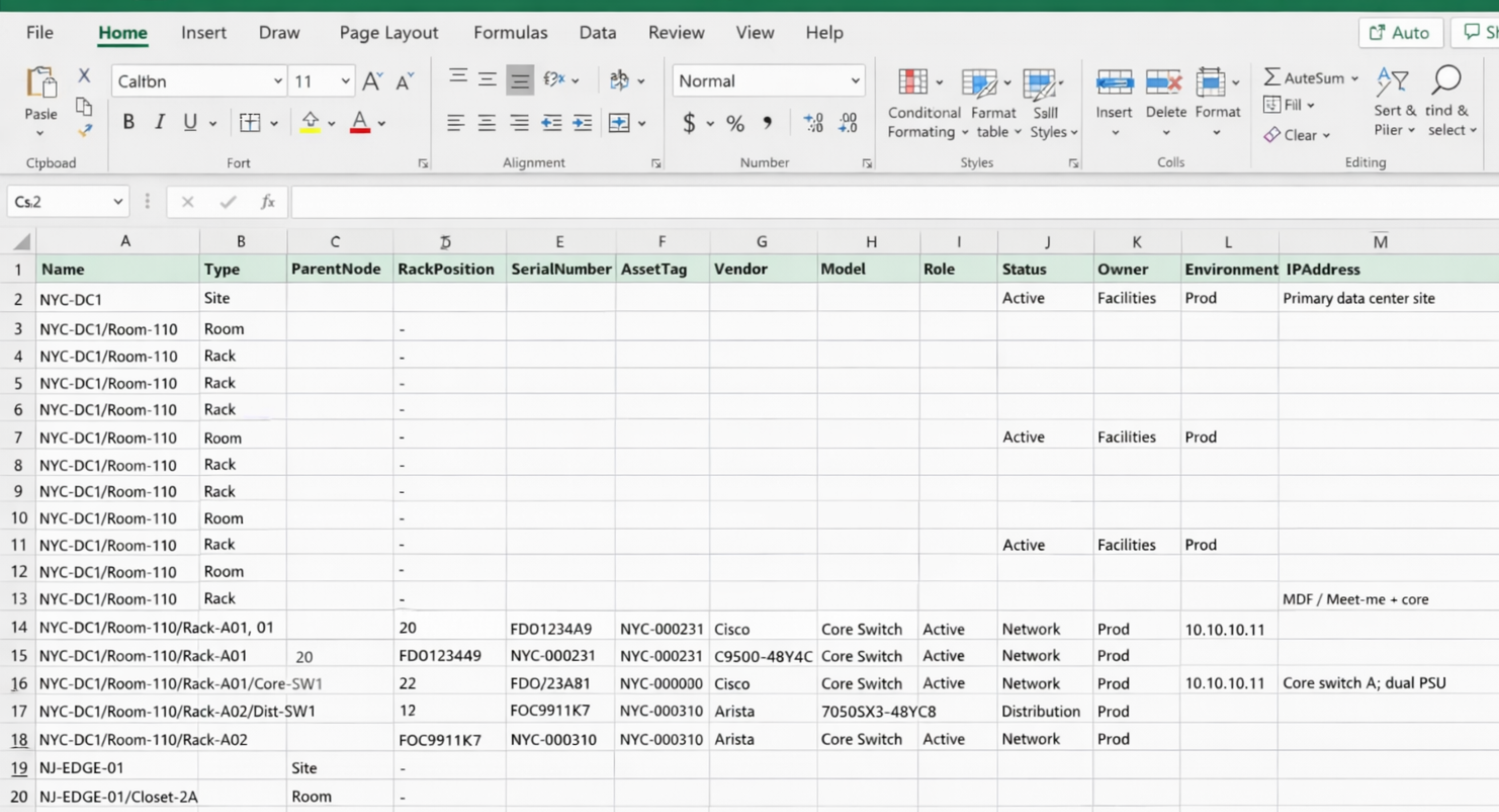
The tool you use to track your network and IT infrastructure can make all the difference between smooth changes and daily firefighting. Many of the folks I talk to end up in one of three camps: spreadsheets, a Configuration Management Database (CMDB), or Data Center Infrastructure Management (DCIM) software. Yes…they do overlap a bit…but they’re designed to solve different problems—and as environments get more distributed, small documentation gaps turn into constant rework and firefighting!
This guide is meant to help you match the tool you need to your IT team’s reality in 2026:
- Spreadsheets: useful when you just need a list and the costs of mistakes are cheap
- CMDBs: helps when service ownership, audits, and change approvals start to break down
- DCIM: powerful when physical uncertainty (racks, ports, power, capacity) slows or risks real work (or makes it more expensive)
What’s different about 2026 environments
The “right” system truly depends on how often you change things and how costly it is when your go-to information is wrong or missing. In 2026, many teams are dealing with more sites, increased uptime expectations, and more cross-team dependencies.
These issues directly increase the cost of bad or incomplete information. They tend to show up as a few big headaches that force teams to decide “Hey, we really need to do something about this”:
- More distributed infrastructure: edge rooms, remote sites, colo cages, shared facilities
- More changes: frequent moves/adds/changes, refresh cycles, re-cabling, re-powering
- More accountability: audit trails, approvals, standardized workflows, repeatable operations
- Less tolerance for “tribal knowledge”: remote teams, sprawling infrastructure, increased compliance pressure, and cross-team work requires trusted documentation
Here’s how each option holds up…
Spreadsheets
Spreadsheets are often times the norm because they start fast. You can build a list, share it, and move on.
Where spreadsheets work
- Small rooms or closets with limited change
- Basic inventory lists
- Short-term tracking during a project
- One-off exports from another system
Why spreadsheets become a liability
Once the environment changes often enough, the spreadsheet method turns into a guessing game. The problem isn’t the sheet—it’s that the infrastructure keeps changing and the sheet doesn’t update itself.
- Drift: manual updates don’t keep up, so the file slowly becomes “mostly right”
- Traceability gaps: errors are easy to miss and hard to trace back
- Poor relationship modeling: ports, circuits, dependencies, and power chains don’t fit naturally
- Slow reviews: little visual validation, so planning takes longer
- Inconsistent history: “who changed what and why” is usually missing
- Collaboration pain: version control becomes email, chat attachments, or duplicate files
Rule of thumb: if you routinely have to verify spreadsheets before you can trust them, you’ve already outgrown them.
Works for: small environments, temporary use, basic lists.
Doesn’t work for: anything with frequent moves/adds/changes, or detailed cabling and port work.
When service ownership and governance become priorities, teams usually look for something more structured than a file: the CMDB.
CMDBs
A CMDB is built for IT service management. It tracks configuration items, relationships, and governance around services and applications, which helps with incident response, change control, and compliance.
Where a CMDB fits
- Service ownership and application mapping
- Change management workflows
- Incident linkage and audit trails
- Standardization across teams
Where a CMDB usually falls short
Most CMDBs aren’t designed to document physical infrastructure at the level operations teams need day to day.
- Rack elevations are limited or missing
- Port-to-port and circuit tracing is not the core model
- Power chain modeling is usually incomplete
- Visual validation is weak, so errors last longer
- Updates rely on manual entry or custom development
- Capacity planning for space, power, and ports is usually an afterthought if anything (not a core feature)
Reality: many teams keep a CMDB for services and governance, while using something else to manage the physical layer.
Works for: services, logical relationships, ITSM governance.
Doesn’t work for: physical documentation, cabling, rack work, or day-to-day data center operations.
For teams whose primary work happens in the physical layer—racking, cabling, and power—spreadsheets and CMDBs don’t really deliver the detail needed to plan and execute changes with confidence (and without firefighting later). This is where DCIM software like netTerrain comes in.
DCIM software
DCIM platforms are built for the physical layer—racks, devices, ports, circuits, power, and capacity. The goal here isn’t more documentation for its own sake. It’s to remove and reduce uncertainty and guesswork when changes happen.
Where DCIM helps
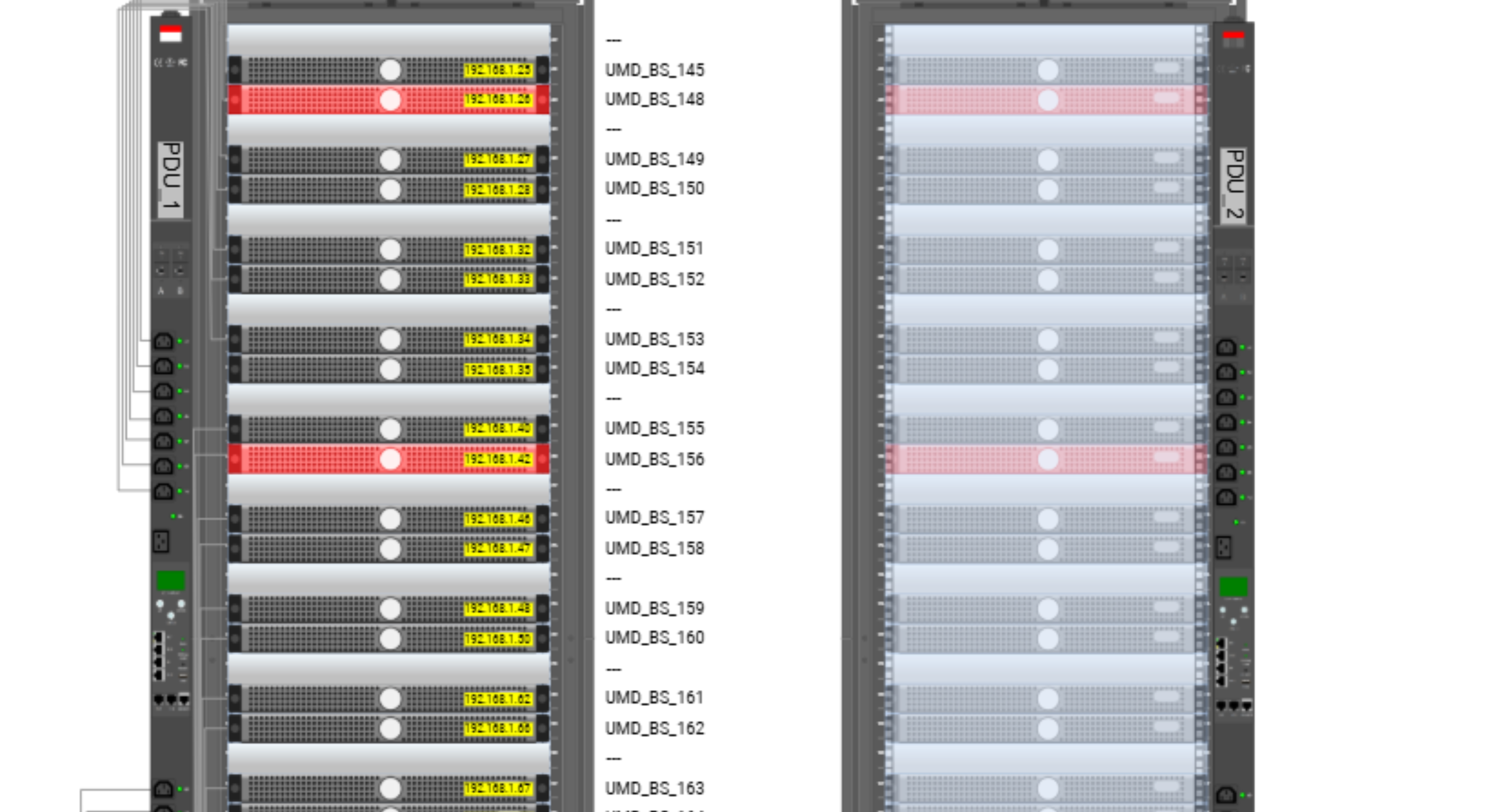
Accurate rack elevations make it easier to validate installs visually and catch space or power issues before changes are made.
- Rack and device elevations: what’s installed, where it sits, and what space remains
- Port-level connectivity: end-to-end tracing that supports real troubleshooting
- Circuit documentation: fiber/copper circuit records that survive staffing changes
- Power chain tracking: mapping upstream/downstream power dependencies
- Capacity views: space, power, cooling, ports—what’s available before you commit
- Multi-site organization: consistent navigation as the footprint grows
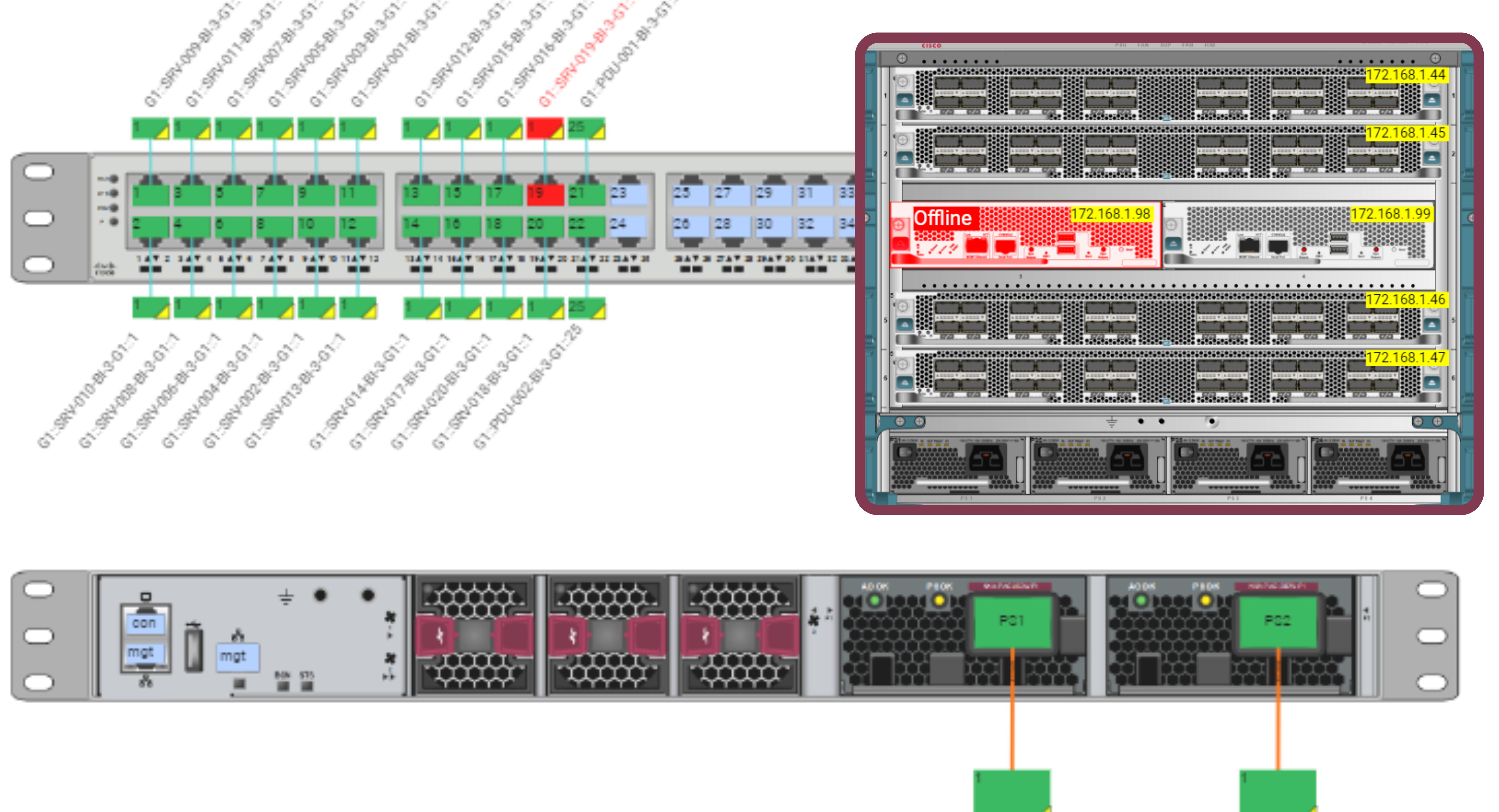
Port-level documentation allows teams to trace connections end to end without relying on tribal knowledge or spreadsheet cross-checks.
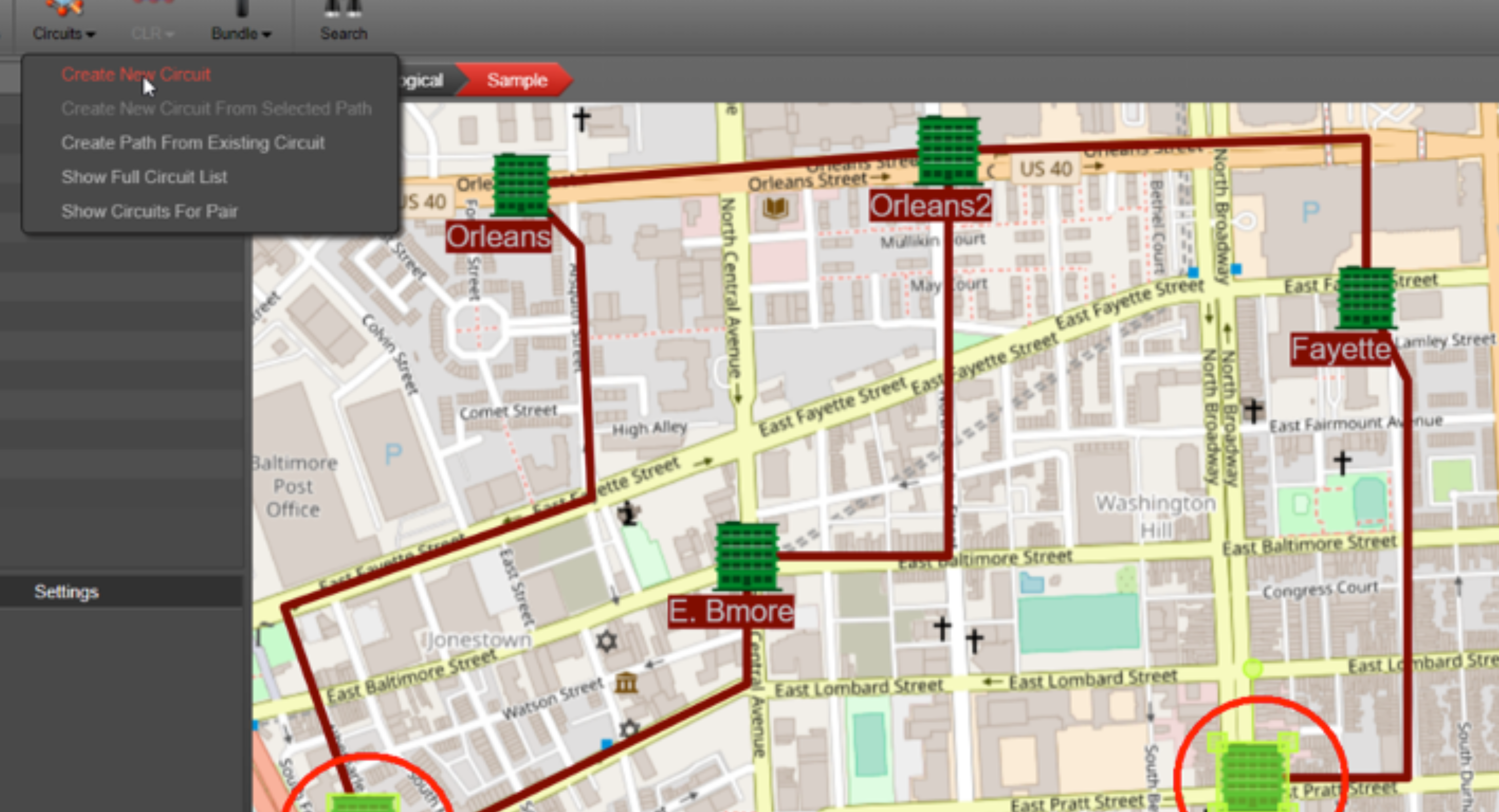
Circuit path views make it easier to understand how services traverse locations when troubleshooting or planning changes.
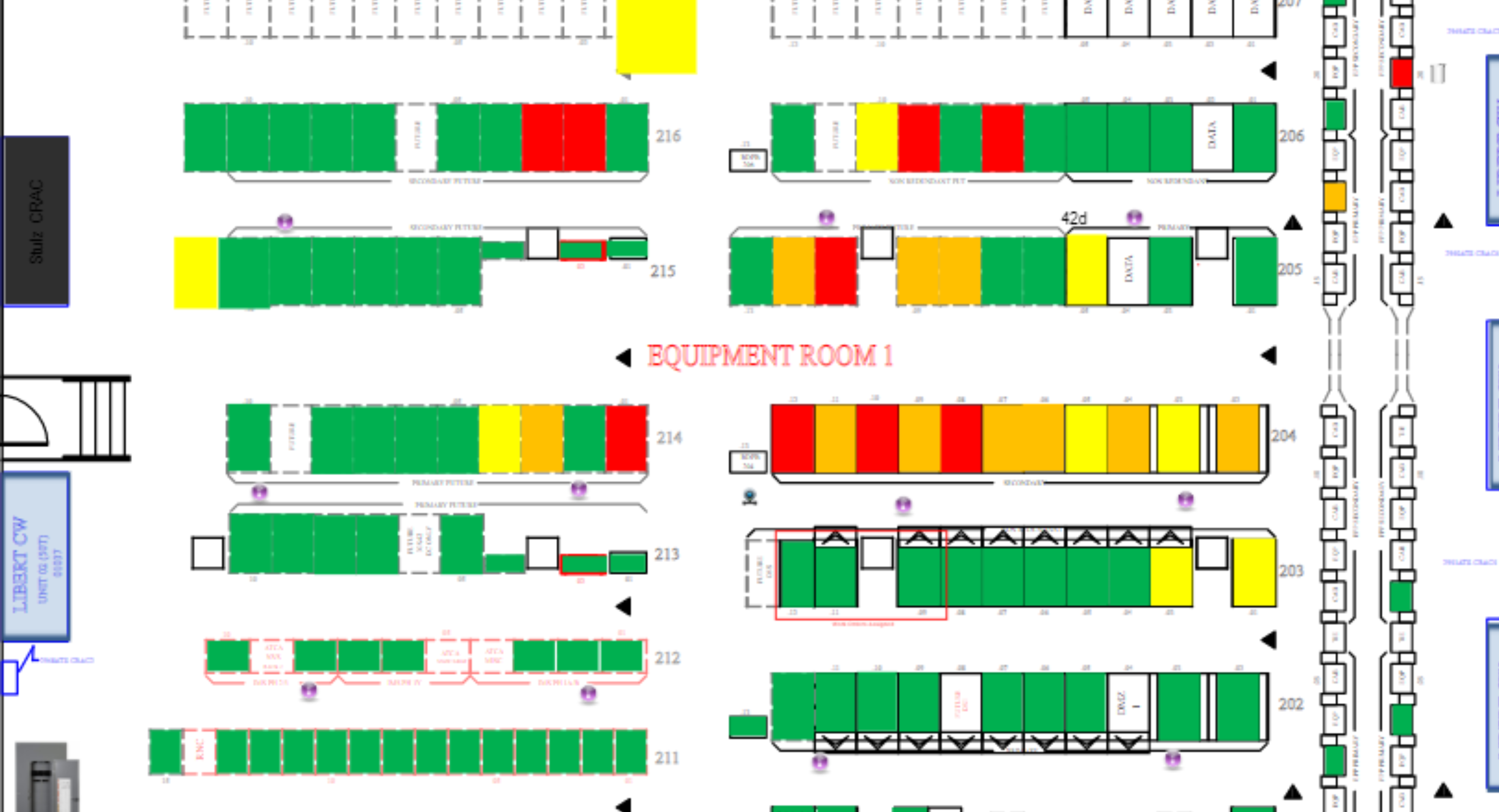
Floorplans add spatial context that lists just can’t, especially when coordinating work across rooms, cages, or remote sites.
Many modern DCIM tools also support integrations and automated inputs, which reduces the “documentation depends on one person” problem. The more you can standardize updates (discovery, imports, structured processes), the less drift you’ll fight later.
Where DCIM may be more than you need
If you have a small setup with little change, the truth is that the overhead may not be worth it.
- Less than a few racks
- Minimal cabling and no circuit tracing needs
- No remote sites
- Not too many changes
Works for: data centers, colocation space, distributed sites, and environments where change is constant.
Doesn’t work for: very small, static environments where a list is enough.
How to choose in 2026
A simple way to figure out what you need is to match the tool to what actually causes pain in your environment: accurate information/not updating current documentation, lack of traceability, compliance and security needs, and/or physical operations risk.
Choose spreadsheets if
- You manage a small closet with limited change
- You only need a basic inventory list
- Port-level detail does not matter
- The documentation is mostly static
Choose a CMDB if
- Your priority is ITSM workflows and governance
- You need application and service relationships
- You already have another system covering the physical layer
Choose DCIM if
- You need accurate physical documentation, not just lists (especially if you’re running into spreadsheet drift or CMDB physical-layer gaps)
- You trace circuits and ports as part of normal work
- You’re seeing drift from manual updates and inconsistent change history
- Capacity planning matters across sites (space, power, ports, cooling)
- You’re spending time reconciling outdated files before you can do real work
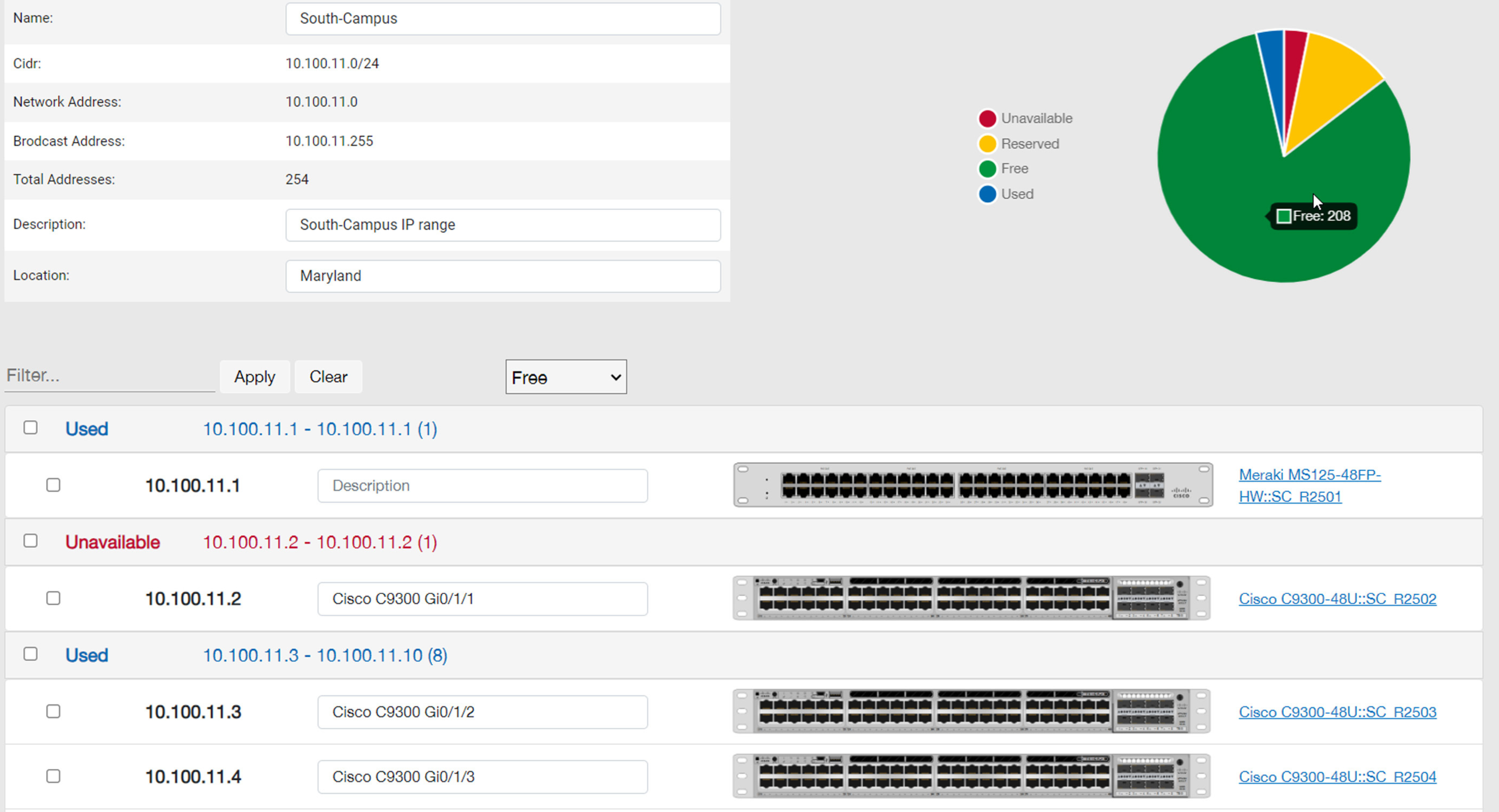
Capacity planning also includes IP planning—good IP address management (IPAM) reduces conflicts and accelerates provisioning, especially when teams support multiple sites and shared subnets.
Common hybrid setups
In many environments, the best answer isn’t “pick one forever.” It’s using the right system at the right layer.
- CMDB + DCIM: CMDB manages services/governance; DCIM manages racks, ports, circuits, and capacity.
- Spreadsheets + DCIM (during transition): spreadsheets hold temporary project lists while DCIM becomes the source of truth.
- CMDB + spreadsheets: works only when physical-layer accuracy isn’t critical and change volume is low.
Where netTerrain fits
If you are evaluating DCIM tools, netTerrain is one option. The practical question is whether it models what you need and stays usable once the diagrams get busy.
Typical DCIM expectations include:
- Rack elevations and device placement
- Port-level connectivity and circuit tracing
- Power chain views
- Capacity tracking for space and power
- Multi-site navigation and search
- Integrations where they reduce manual updates
If a DCIM tool like netTerrain keeps the data consistent and easy to review, it reduces the dreaded “spreadsheet cleanup” cycle and cuts the time from “We’ve got to change something…” to “Ok, we can change it safely.”
Bottom line
Spreadsheets handle lists. CMDBs handle services and governance. DCIM handles the physical layer when accuracy matters. If your team is stuck reconciling outdated files before every change, or going on wild goose chases, your current tool is already creating cost and risk you can’t afford.
