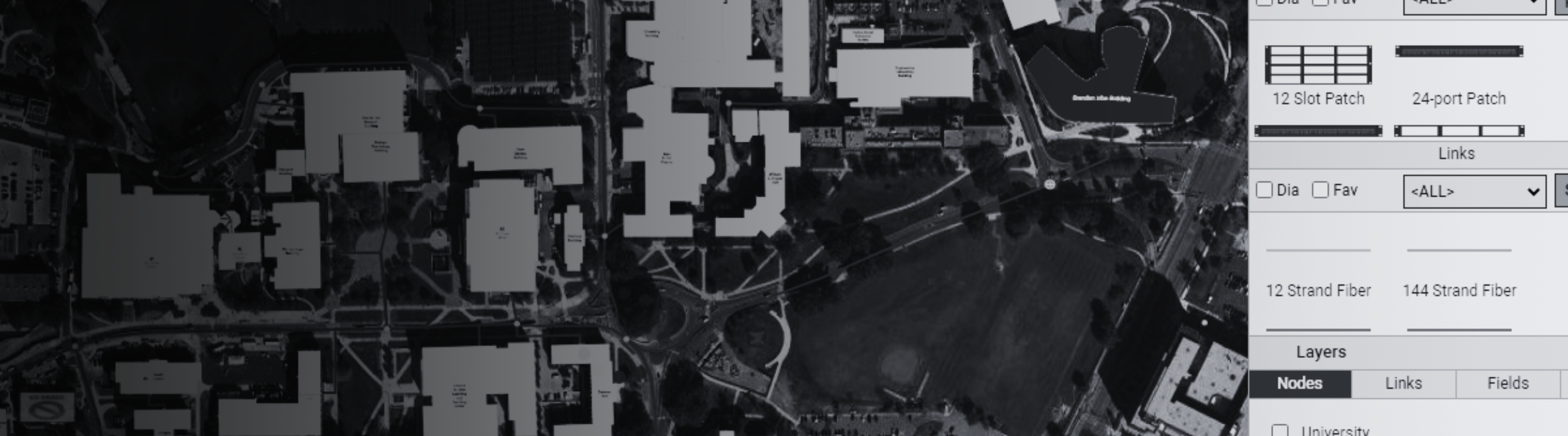
Fiber networks are critical to the foundation of communities today — in city backbones, across smart campuses, in utility grids, and powering public safety services. They’re growing fast…can your documentation keep up?
If you’re like so many of the teams I speak with, you’re stuck dealing with “documentation” scattered in outdated spreadsheets, CAD files on someone’s laptop, old as-builts from contractors, Google Earth, Visio, and…of course – a popular standby: relying on the memories of your longtime colleagues who “just always know” where things are.
If you’re responsible for a municipal, campus, or utility network, you already know this: that’s not a minor headache for you and your team. This type of “documentation” creates real operational and financial risk for everyone.
If you’ve read this far, you’re probably fed up with managing critical infrastructure using a patchwork of tools. Keep reading.
This guide gives you a practical way to get your fiber documented and keep it that way — and shows how netTerrain OSP is built to make each step easier with map-centric tools your teams can actually use.
Table of Contents
- Why Accurate Fiber Documentation Really Matters
- Why Spreadsheets, CAD, & “Just Ask Bob” Stop Working
- The Five Layers of Effective Fiber Documentation
- A Practical 6-Step Workflow You Can Actually Use
- A Simple Fiber Documentation Checklist
- Why netTerrain OSP Fits How You Work
- Final Thoughts: Documentation is Part of Your Network
Why Accurate Fiber Documentation Really Matters
Good documentation is how you keep control of what you’ve built. It helps you stay on top of:
- Multi-mile outside plant (OSP) routes running through streets, rights-of-way, and easements
- Physical assets like conduits, duct banks, handholes, manholes, aerial spans, and splice enclosures
- Inside plant (ISP) details: patch panels, racks, and ports inside buildings
- The services that depend on it all — public safety services, traffic systems, AMI, campus Wi-Fi, broadband customers, and more
- Work orders and change management
When that documentation is missing or out of date, problems become larger than they’d need to be if you had true fiber documentation in place:
- Outages that last longer because no one is sure what’s in a conduit or which strand is serving what
- Extra truck rolls or site visits just to “go see what’s there and what you need to fix it”
- Higher risk of cuts and surprises during construction or locates
- Weak data for grant applications, resiliency planning, or new build justification
- Knowledge walking out the door when experienced staff retire or move on
Most of this comes down to one issue: there’s no single, trusted source of truth. netTerrain OSP (we’ll use the software we make as an example but explore the options out there) is designed to be that system so engineering, operations, and field teams are all looking at the same, accurate network picture.
Why Spreadsheets, CAD, & “Just Ask Bob” Stop Working
A lot of networks start out documented in tools that seemed fine at the time:
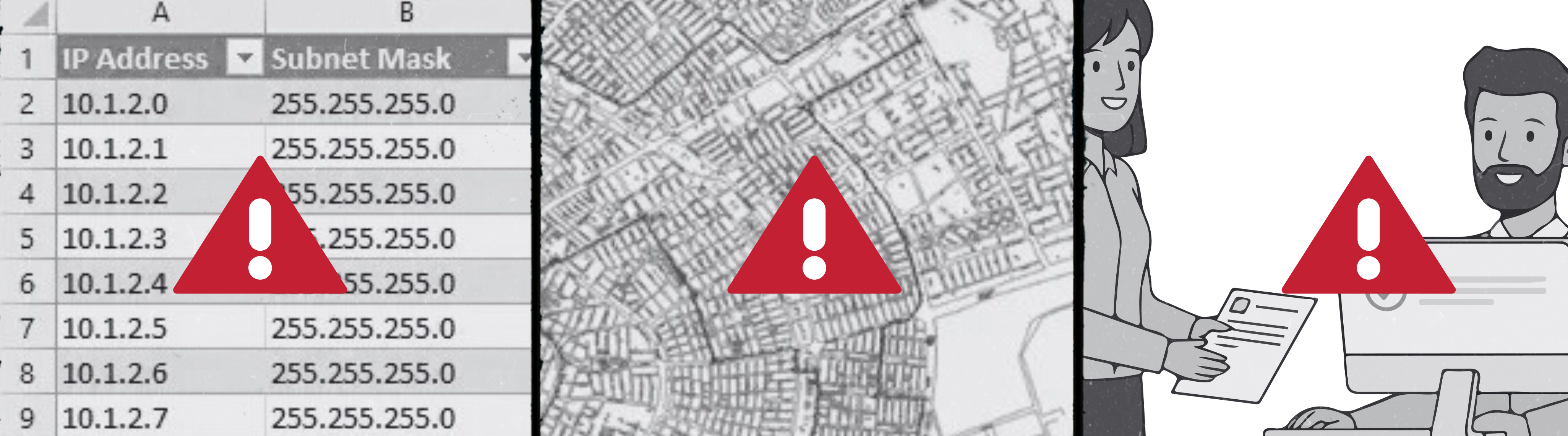
Spreadsheets
- Great for lists, bad for maps
- No idea where things are in the real world
- No strand-level view or history of who changed what
CAD files
- Good at drawing lines, not so good at managing live inventory
- Hard to keep current and share across teams
- Usually sit with a small group of people
Tribal knowledge
- “Just ask Bob” works — until Bob retires or finally takes that Alaskan cruise he’s been talking about for years (without reliable access to WiFi).
- Nothing is written down in a structured, shareable way
Over time, teams stop trusting these sources. They know they’re stale, so they work around them. netTerrain replaces that patchwork with one living model of your network so changes get captured once, in one place, and everyone can see them.
The Five Layers of Effective Fiber Documentation
To truly understand and manage your fiber, you need to see these layers together in one place — for the Star Trek fans out there, think starship systems on a single console, not scattered across various tools.
1. Geographic Routes (OSP & ISP)
What you’re capturing: The real-world path of your network: conduits, duct banks, handholes, manholes, aerial spans, and how they enter buildings.
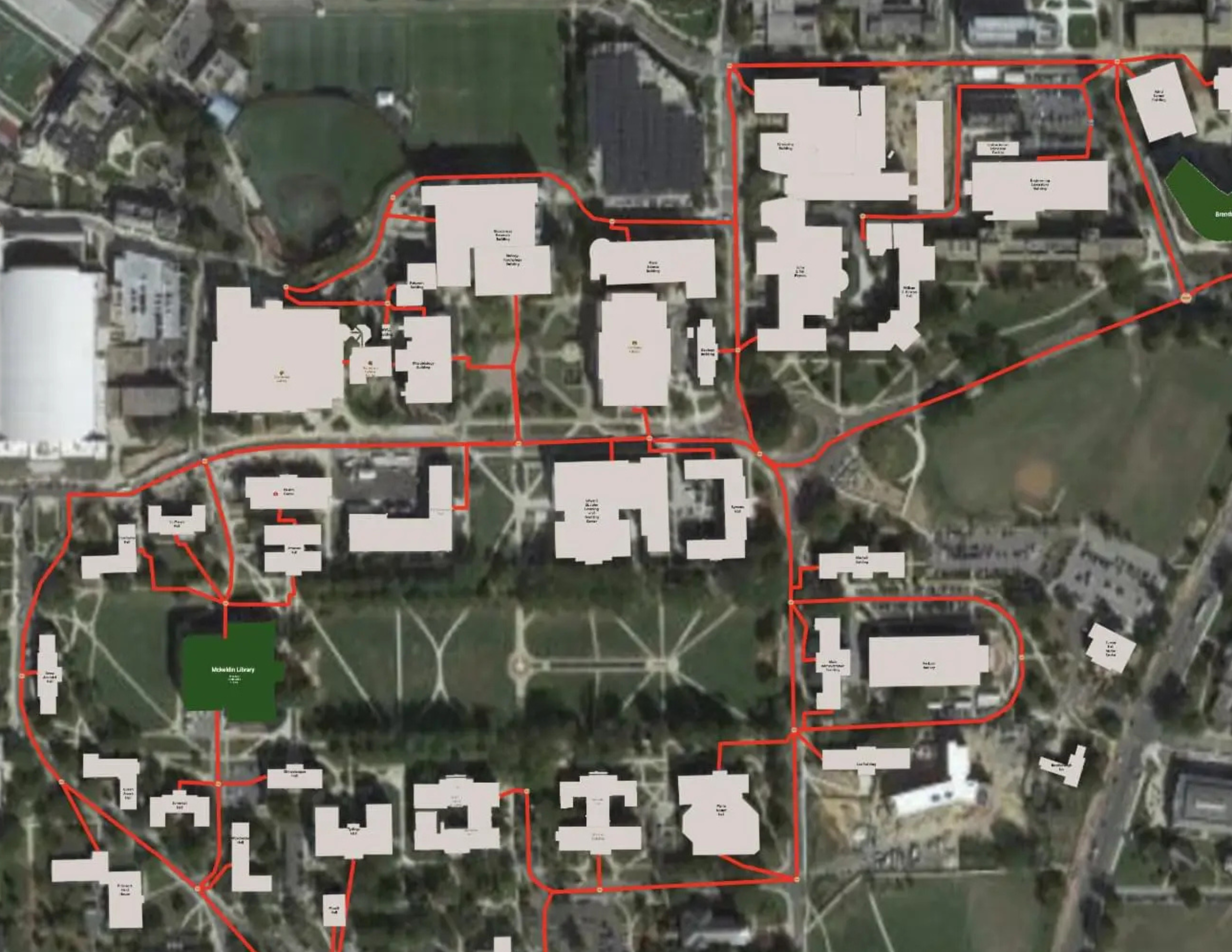
How netTerrain helps: Routes live on georeferenced maps (OpenStreetMap, Google, ArcGIS) tied to actual coordinates. You’re drawing and adjusting on a real map, so keeping OSP routes accurate becomes part of normal work, not a separate GIS project.
2. Cables & Individual Strands
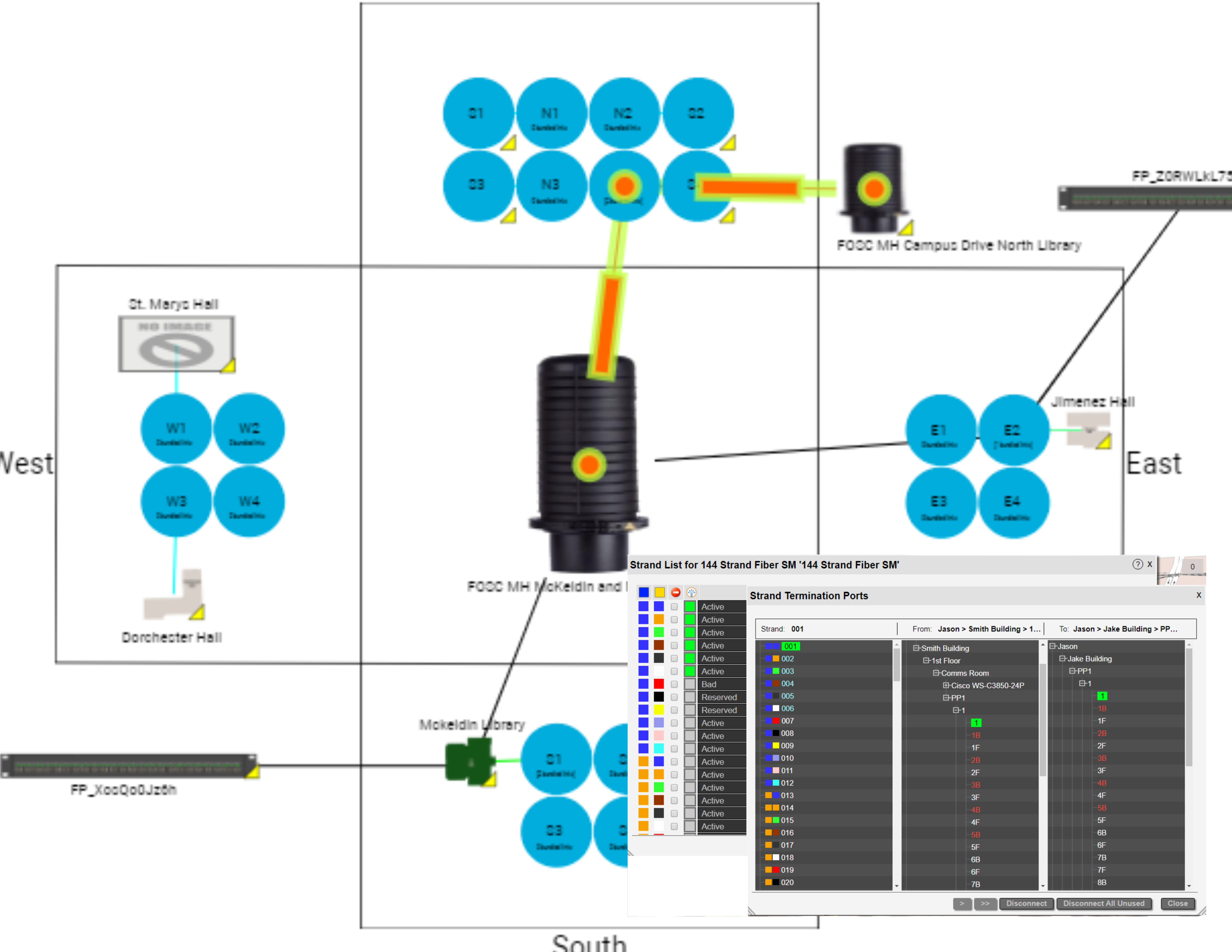
What you’re capturing: Each cable’s type, strand count, route, and what each strand is doing — for example, in use, spare, reserved, or out of service.
How netTerrain helps: Cable types drive automatic strand creation, TIA color patterns, and strand-level fields. Searchable strand tables let you filter, sort, and trace strands with a few clicks instead of wrestling with large spreadsheets.
3. Splice Enclosures & Diagrams
What you’re capturing: Where your splices are, how trays are organized, and exactly how inbound strands connect to outbound strands.
How netTerrain helps: Splice closures and related devices are modeled with ports so you can follow connectivity strand by strand. The resplicing feature lets you add new nodes or break strands out to new paths without manually rebuilding every connection line.
4. Panels, Racks & Termination Points
What you’re capturing: What’s happening inside your buildings: racks, patch panels, port labels, and jumpers.
How netTerrain helps: DCIM features handle racks, devices, cards, and ports. You can drill down from a city map to a specific building, room, rack, panel, and port in a few clicks, so OSP and ISP views feel like one continuous model instead of separate worlds.
5. Active Equipment & Service Circuits
What you’re capturing: Which strands carry which circuits, where those circuits terminate (switches, routers, ONTs/OLTs), and which services, departments, or customers they support.
How netTerrain helps: The Automated Circuit Routing Algorithm (ACRA) finds circuit paths that follow the physical strands. Circuit Layout Records (CLRs) give you an end-to-end view, so it’s much easier to answer, “If this strand goes down, who’s affected?”
A Practical 6-Step Workflow You Can Actually Use
Here’s a realistic sequence that works well for cities, campuses, and utilities — and lines up with how netTerrain is built.
Step 1: Pull Together What You Already Have
Start by gathering the messy stuff: as-builts, CAD drawings, spreadsheets, KML/KMZ files, contractor documents, and notes.
In netTerrain: Bulk import tools (Excel, Visio, KML, and more) plus integration options let you bring existing data into one place, so you’re not starting from zero.
Step 2: Build a Solid Map Baseline
Create a clear picture of where things are in the real world using street, parcel, or satellite imagery.
In netTerrain: Dynamic, georeferenced maps with live coordinates make it easy to place OSP nodes, conduits, and spans along actual routes, and to keep those aligned as you make changes.
Step 3: Verify in the Field
Have field crews confirm locations, check cable paths, note undocumented splices, and take photos.
In netTerrain: A browser-based interface and companion mobile app give field teams access to the same diagrams the office sees. They can look up routes, confirm details on site, and feed corrections back into the system.
Step 4: Document the Physical Layer Properly
Turn what you’ve verified into structured, consistent records: cables, strands, splices, and terminations.
In netTerrain: Automatic strand creation, bundling options, and visual splicing tools keep high-count cables and frequent changes manageable — without jumping between different tools or diagrams.
Step 5: Map Services & Circuits
Once the physical plant is in place, layer on the services:
In netTerrain: You create circuits that follow the physical paths. CLRs show each hop from end to end and can generate BOMs and PDF work packages, so field teams get clear instructions instead of vague notes.
Step 6: Put Change Management in Place
The biggest challenge isn’t getting caught up once — it’s staying current.
In netTerrain: Built-in document management (attachments, versioning, check-in/check-out), role-based access, work order dashboards, and detailed audit logs help make sure changes are captured and traceable, so the system stays trustworthy.
A Simple Fiber Documentation Checklist
netTerrain is designed to help you check all of these boxes:
- OSP routes, conduits, and aerial spans mapped on a georeferenced base map
- Each handhole, manhole, and cabinet identified with IDs and coordinates
- Every cable documented with strand count, type, and route
- Strand inventory tracked with clear status values and attributes
- Splice enclosures and trays documented with strand-level assignments
- Inside plant (racks, panels, ports) fully documented and easy to navigate
- End-to-end circuits mapped to physical strands with CLRs
- Legacy data (spreadsheets, CAD, KML/KMZ) imported into a central system
- Change management, work orders, and audit processes in place
- A browser-based system that engineering, operations, and field teams actually use day to day
Why netTerrain OSP Fits How You Work
netTerrain OSP was built with city, campus, and utility networks in mind.
One Place for Maps, Inventory, and Circuits
You don’t have to juggle separate tools for GIS, inventory, and logical services — they all live in the same platform.
Strand-Level Detail Without the Pain
Automatic strand creation, TIA color support, and resplicing tools help you manage detailed fiber builds without drowning in busywork.
Documentation That Drives Decisions
ACRA and CLRs turn your diagrams into something you can act on for design, planning, and troubleshooting.
Built for Shared Use
A multi-user web interface and mobile access mean office and field teams stay in sync instead of trading outdated PDFs and screenshots.
Stays Useful as You Grow
Integrated change control, auditing, and flexible modeling make it realistic to keep documentation accurate as the network expands and evolves.
Clear Path for OSP
The OSP module extends the core netTerrain platform, and customers with maintenance have access to support through familiar channels like portal, email, chat, and phone.
Related Reading
- Industry Spotlight: Fiber Mapping Software for Municipalities
- Industry Spotlight: Fiber Mapping Software for University & College Campuses
- Explore the full capabilities of netTerrain product for inside plant, DCIM, and more.
Final Thoughts: Documentation is Part of Your Network
Fiber documentation isn’t just paperwork. When it’s done right, it:
- Cuts down on outage time
- Reduces unnecessary truck rolls
- Lowers maintenance and construction costs
- Makes planning and funding discussions easier
- Protects you from losing knowledge when people move on
- Makes onboarding new team members faster
With a clear process in place plus a purpose-built system of record like netTerrain OSP, keeping your fiber documented stops being a one-time “cleanup project” and becomes a normal, manageable part of running the network.
Bottom line? Solid documentation is absolutely within reach — and the right tool makes it much easier to get there and stay there.
