
Unpopular opinion: a DCIM software search should not start out with a giant feature checklist.
Usually it does, though…and, honestly, I get it. Rack elevations. Power. Cables. APIs. Reports. Permissions. Discovery. Device catalogs. Important stuff. Procurement, leadership, teams and even vendors want to see and share a neat list of everything software XYZ includes.
DCIM Is a Discipline, Not a Demo Checklist
That being said: after decades in IT visualization software, I have to be honest: almost anything can become a “feature” if you stick a label on something the software does. The problem is that a feature checklist tells you what the software can do inside a controlled demo, not whether it will actually hold up when things get real.
Features are important, as long as they work well outside of a demo — don’t get me wrong — but equally important is this: six months into the software, where does the team go when someone asks what’s in a rack, which circuit feeds what, or if there’s enough space for the next install?
If they’re opening up your new DCIM tool, great. Case closed, ROI achieved.
If, however, your team’s still stuck opening up Visio, surfing Excel tabs, digging up old rack photos, or sending smoke signals to the one person who actually walked the room last month, sorry: your new DCIM tool is now shelfware.
The Real Test: Will the System Hold Up on an Ordinary Tuesday?
In a demo, certain features have a wow-factor. Don’t just stop at the wow-factor. For example: dashboards can look great in a demo, and yes — netTerrain DCIM has them — but I honestly care far more about whether the data in netTerrain is trusted on an ordinary Tuesday, when a change ticket is waiting.
That’s the part most DCIM evaluation feature checklists miss: real usability. If you think about what you need six months from now, you’re already ahead of most teams out there.
Avoiding Vendor Lock-In: Don’t Fall for the Printer/Ink Trap
Some DCIM vendors remind me of printer companies. I wrote a blog about this a few years back — check it out here.
Basically, you buy the printer that has everything you need and the price is OK. Then you find out the real cost is the ink cartridges you’re stuck using unless you devote time to endless workarounds.
When a vendor’s main business is selling equipment, the software they make is designed around what they sell: their racks, their equipment.
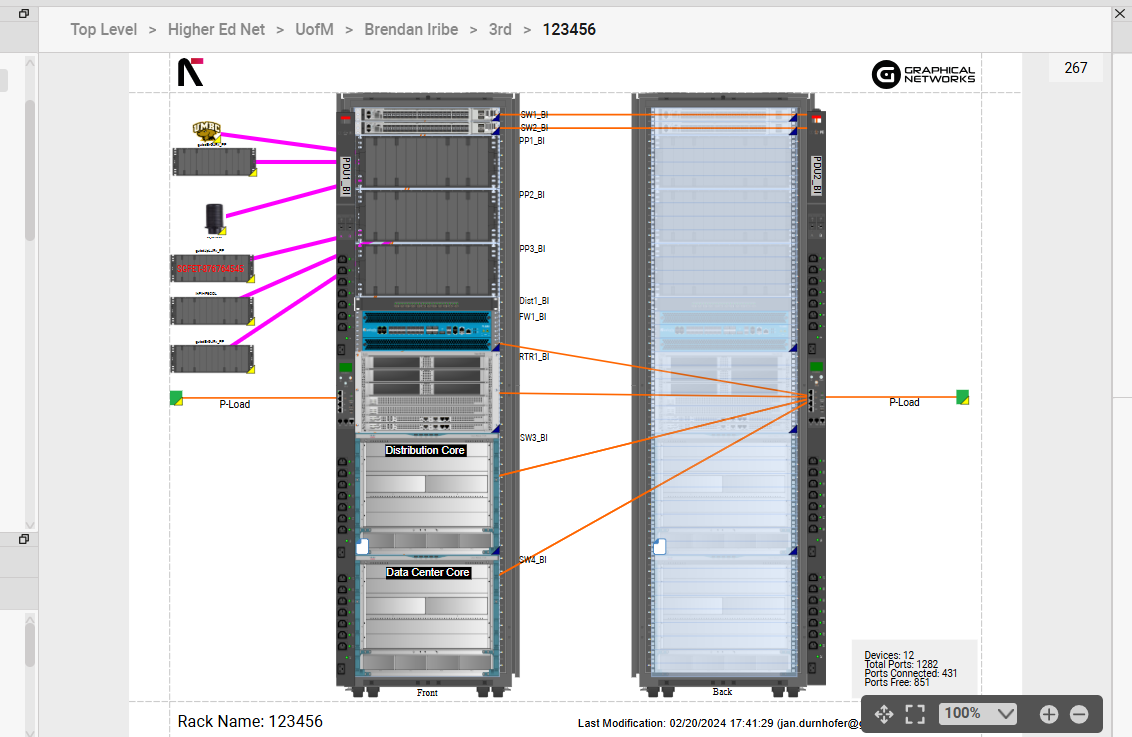
Rack View in netTerrain DCIM
As you know, most data centers look more like this: some Cisco here, Dell there, APC, Vertiv, older gear nobody wants to touch, newer gear that arrived during a rushed project, a handful of devices still labeled with the old naming scheme, and so on.
This is where DCIM vendor selection gets real. Mixed hardware, partial records, legacy devices, and a kit that doesn’t match the catalog picture aren’t edge cases. Good DCIM software needs to be able to handle it all and then some.
At the device-model level, it needs two things: a deep catalog already built, and a fast way to add what’s missing.
Mixed-Vendor Environments Need Flexible Modeling
If you’re like most teams and you’re test-driving DCIM software for mixed vendor environments, the device catalog is where the rubber finally meets the road. Our software netTerrain, for example, has thousands of devices from various vendors built in. It’s not a wow-factor feature in a demo, but when something unexpected shows up — a model we’ve never seen, or a franken-device that doesn’t match any catalog — netTerrain can map it. You can model it yourself without much hassle, or we can turn it around by the next day for no charge for all users under maintenance. This keeps the project from stalling.
Focused DCIM Platforms Stay Closer to the Work
Sure, a mega-platform feels safe. Big name. Big deck. Big menu. And if you’re buying it to work across fifteen IT disciplines at once, I get the appeal.
But here’s what I’ve seen: when DCIM is just one tile inside a vendor’s mega-platform, it quickly becomes forgotten by the development team. One project among fifty. The people who are supposed to use it? Their org owns the tool and great, a few people can log in. Somebody probably sat through training. Maybe there was even a decent kickoff. Then the actual work starts — user guides and customer support go nowhere, the tool just isn’t flexible enough…and the team drifts back to old habits: spreadsheets, Visio, floor walks, “Ask Brian.”
That’s why I say DCIM can’t live as a side-tab — one tab in a vast platform nobody opens. That’s the new shelfware. If you own uptime, rack capacity, cabling, power, audits, assets, or move/add/change work, your tool has to sit close to the daily jungle of your infrastructure. Technicians and engineers shouldn’t feel like they’re entering a separate universe that doesn’t understand the actual one fully…just to answer a rack question.
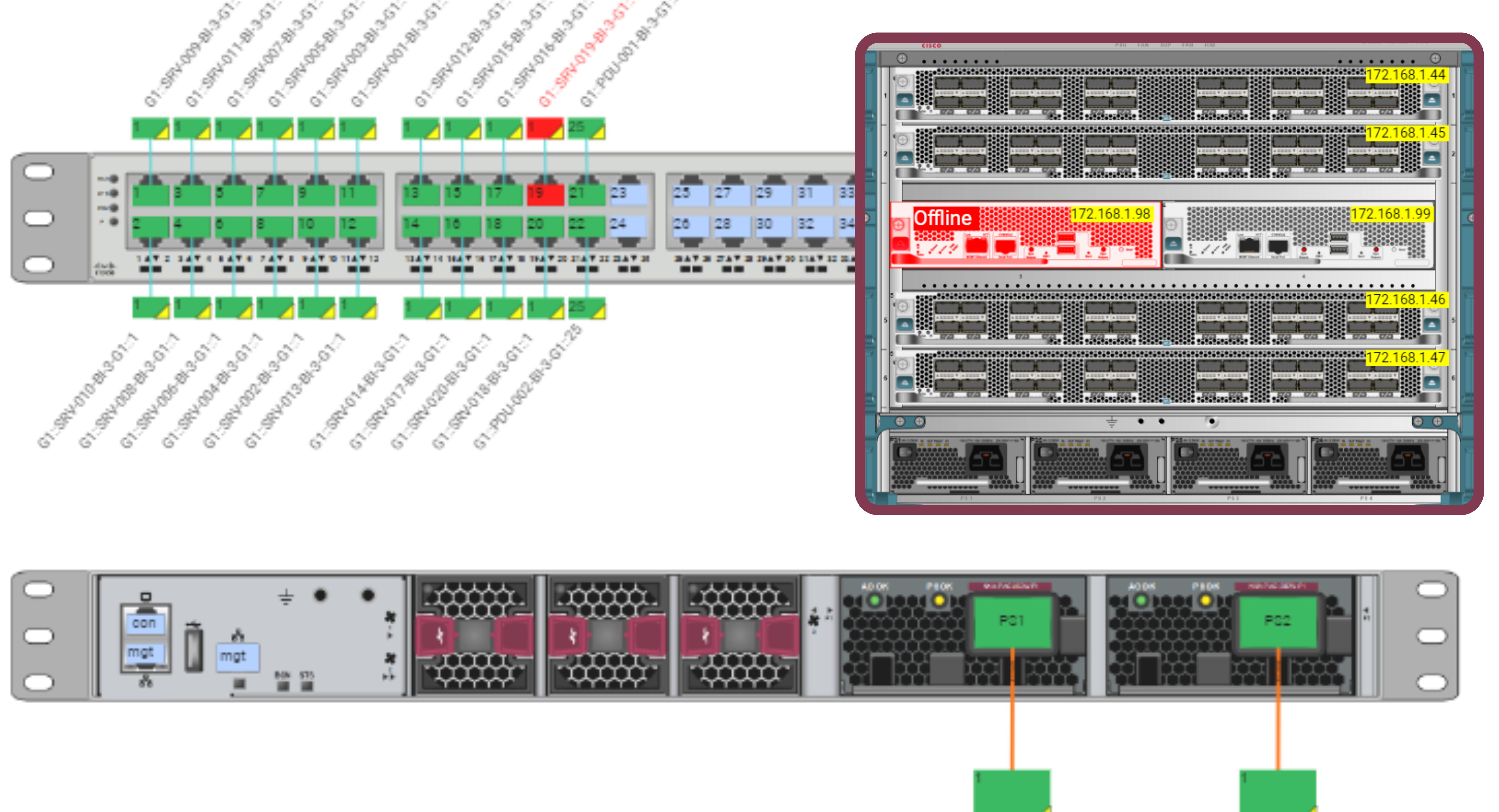
Port-level cabling connectivity in netTerrain
Roadmaps Matter When Infrastructure Is Mission-Critical
And that’s just what happens inside your team. There’s a second, quieter risk: the vendor’s own attention drifts. A lot of infrastructure teams have watched tools get acquired, folded into larger platforms, slowed down, renamed, retired, or nudged toward a replacement product.
Fieldview DCIM, for example, was folded into Nlyte Energy Optimizer, back in 2016. Vertiv Trellis, was once considered a flagship platform, was discontinued due to its complexity and heavy architecture – support for existing users ended in 2023. If your DCIM tool is on that path, every rack record, cable path, and circuit detail you’ve entered could be orphaned within a few budget cycles.
So yes, ask about features…but also ask who the roadmap is really for. A vendor’s roadmap is simply their plan for what gets built, fixed, or sunset over the next few years. If that plan follows hardware sales or a forced migration path, your rack records, card models, ports, cable paths, circuits, and fiber documentation may fall down the list. Would bug me.
Faster Value Comes From Software People Actually Use
One of our users, a major global energy supplier, Acciona, started using netTerrain DCIM with multiple data sources, moving inventory, two data centers, and a need for one umbrella view without custom-integration drama. With netTerrain, they met 100% of their must-haves and had the project running in six months with a small team. One of their interns even built a mobile app on the API around Day 90. You can check out the full case study here.
I mention this because that detail about the intern beats a polished API slide all day. If someone can understand the system well enough to extend it that quickly, the product is usable when people start touching it.
A lot of DCIM marketing I see out there seems written for a giant infrastructure department with clean records, extra staff, and a spare calendar for implementation. Nice in theory, but I don’t see that team very often.
Most teams today are lean. They handle racks, ports, circuits, power, outages, installs, audits, remote rooms, colo space, and the documentation everyone agrees is important until it takes time to maintain. Then someone asks why the records aren’t perfect. Of course!
Liberty University, another team that uses netTerrain, has five people on the team, three data centers, and remote colo. They said netTerrain reduced the man hours spent driving across campus and changed their work life. Fewer campus drives. That’s the goal, right?
Pitkin County is a different animal entirely: Aspen and Rocky Mountain area, public safety infrastructure, inside plant, outside plant, and 13 mountaintop sites. The question wasn’t “can the software make a nice diagram?” It had to document diverse infrastructure, integrate existing data, stay usable for team members and partners, and give quick answers when decisions had to be made. With netTerrain, they get it done — read about their project here.
My main point here is: if the documentation is hard to find, people waste time. If partners can’t understand it, decisions slow down. If the tool can’t handle both inside and outside plant, you’re back to piecing the picture together manually. Gets old fast and you’ve wasted your investment dollars on the wrong platform.
Tough Questions DCIM Buyers Should Ask
DCIM software has the power to transform IT efficiency and work while slashing costs, but not all DCIM software is the same. I’d remain skeptical before buying DCIM. Better now than after implementation. Run a search on Reddit and you’ll learn why fast: some DCIM success stories, but far more tales of software gone wrong. I hear them all of the time from prospective new users who bought a DCIM package that just didn’t pan out in their actual environments.
Because of this, I’d ask any vendor you’re seriously considering a few important questions.
The first thing I’d ask: can the software scale?
If you asked us about netTerrain’s scalability, for example, we can provide actual references and case studies like the one we did with Acciona: multiple data sources, moving inventory, two data centers, small team, six-month rollout. Bell Mobility selected netTerrain to document millions of connections — case study here. Good DCIM software vendors can give you real-world examples. Ask them.
Next, will people use it after the first month?
Our case study with Liberty University is a good litmus test here for how netTerrain can scale even across a lean team. Five people, three data centers, remote colo, fewer campus drives. With Pan American Silver, another case study, not only was the main team lead using netTerrain — he even trained non-technical people to use it.
What happens when the hardware doesn’t fit what the vendor thinks you should have and is varied?
This is where the catalog matters big time. Your environment shouldn’t have to become vendor-pure for the software to work. Real environments never are. That’s exactly why DCIM for mixed vendor environments isn’t niche — it’s the baseline, and it’s what the printer analogy was all about.
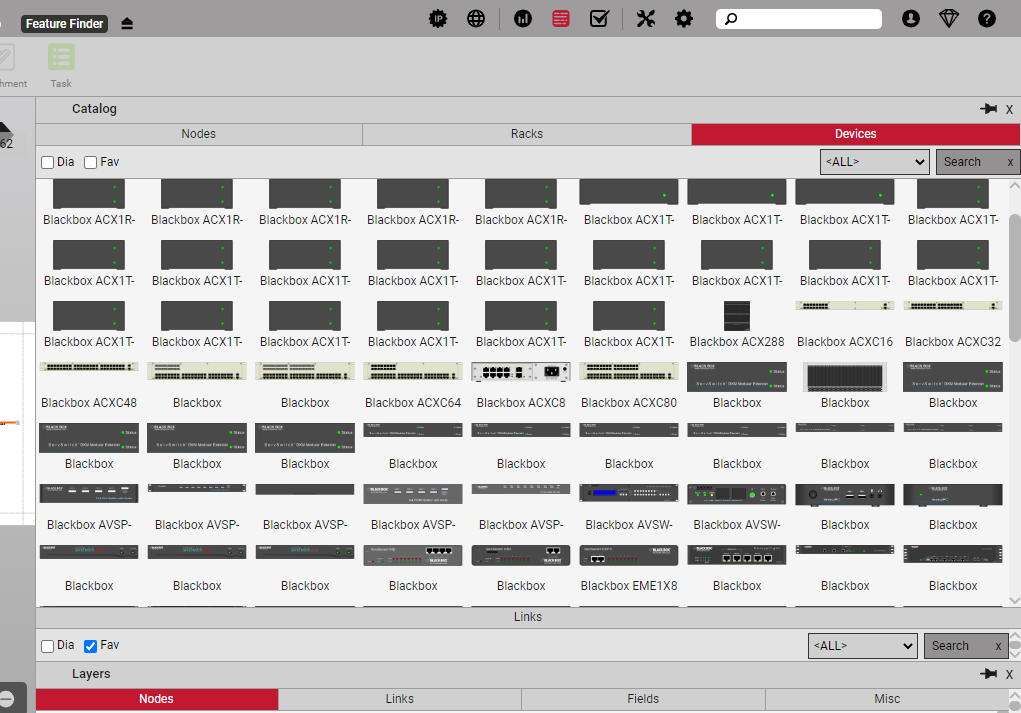
Catalog View in netTerrain DCIM
Is the API actually usable?
The Acciona intern story I shared earlier tells more than a slide ever will: slides in a demo are just that…slides. Interns extending your tool on Day 90? That’s a working API and actual ROI. A good rule of thumb is to find out if the API is heavily documented and extensible.
Will the software’s improvement and features roadmap still care about you in three years?
This is a question most folks don’t ask, but it’s an important one. I’ve heard from former users of OSPInsight and Vertiv products who bought a package and ended up with software that got acquired and transitioned into something they could no longer use. If the vendor is mainly chasing hardware sales, acquisitions, or some migration strategy, your rack, card, port, cable, circuit, and fiber needs may fall down the list. Not hypothetical — it happens all of the time. Check out our blog on roadmaps here.
Can you start small?
With good DCIM, you can — one workflow at a time, one documentation problem everyone already knows is costing time. When workload and onboarding is truly manageable, teams stay sane and software doesn’t turn into shelfware. Read more over on this blog.
Before you finalize your software purchase, this would be my test for your team.
First, who’s going to use this every week?
Not just the admin. Not just the implementation lead. What about the technicians, engineers, facilities people, consultants, and infrastructure managers who need rack, power, cabling, and asset data to be right? Will the software work for them day in and day out?
Second, what can we fix this quarter?
A rack view people actually trust. A faster audit answer. A cleaner move/add/change process. Fewer walks to check information that should already be documented. Something the team notices before the next budget meeting.
Last but not least, can the software match the environment you actually have?
Mixed equipment vendors. Odd names. Legacy devices. Colo space. Remote rooms. Cloud pieces. Old fiber records. The rack nobody wants to clean up but everyone keeps adding to anyway. That’s the stuff the software has to handle before anyone cares about the dashboard.
Conclusion
The right DCIM partner helps your team stop re-checking what it supposedly already knows. A system people trust when the day is already going sideways.
If any of this sounds familiar, we can have a 15-minute call and tell you honestly where netTerrain makes sense — and where it may not. No obligation, just a straight answer and a clear picture of what a fix could look like. If you want to test netTerrain out, we can set you up with a free trial.
