
Introduction
In modern data centers, security requirements are increasingly stringent. Tracking and auditing the opening and closing of cabinet and rack doors is a common requirement, and multiple technologies exist to support this capability. The goal of this lab test was to create a practical use case for one such protocol—Modbus—and to demonstrate netTerrain’s ability to generate time-series visualizations that show door activity frequency and related statistics.
The following article describes how we set up a lab system to detect the opening and closing of doors in our office using the Modbus protocol and the netTerrain Modbus connector.
For reference, we previously covered Modbus support in netTerrain in a three-part blog series:
https://graphicalnetworks.com/blog-native-modbus-tcp-support-in-netterrain-for-dcim-applications-part-one/
Hardware and Environment Setup
In our lab environment, we do not have data center racks with doors. Instead, we mimicked the same behavior by monitoring the opening and closing of actual office doors. As an added benefit, this approach allowed us to visualize foot traffic in and out of our offices.
We began by installing two inexpensive magnetic door sensors—one on each office door. These sensors reliably detect door open/close events using a simple magnetic contact.
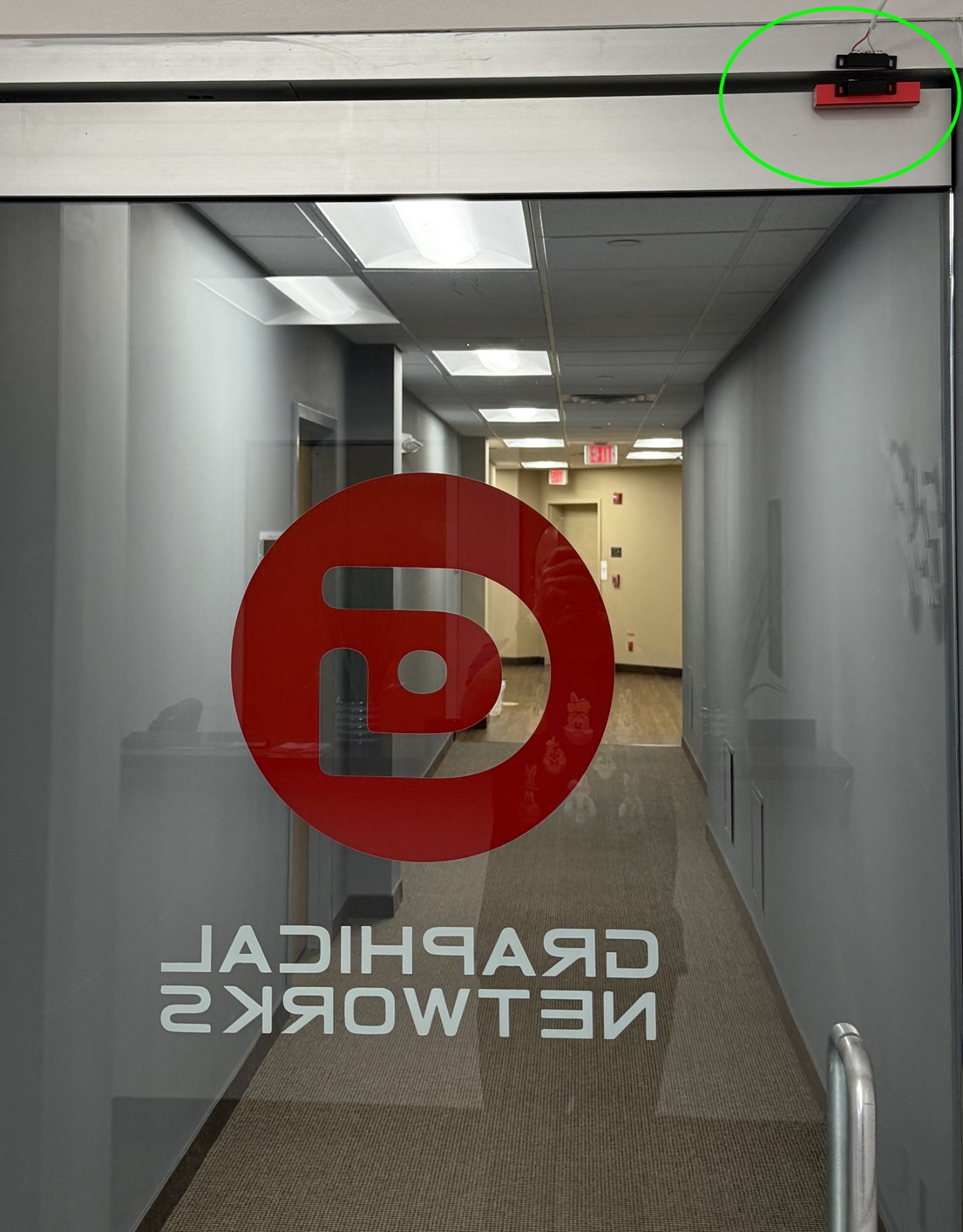
Front Door Setup
These are standard, off-the-shelf sensors that typically consist of the sensor itself and a paired cable. The cable is connected to a device capable of measuring dry contact voltage.
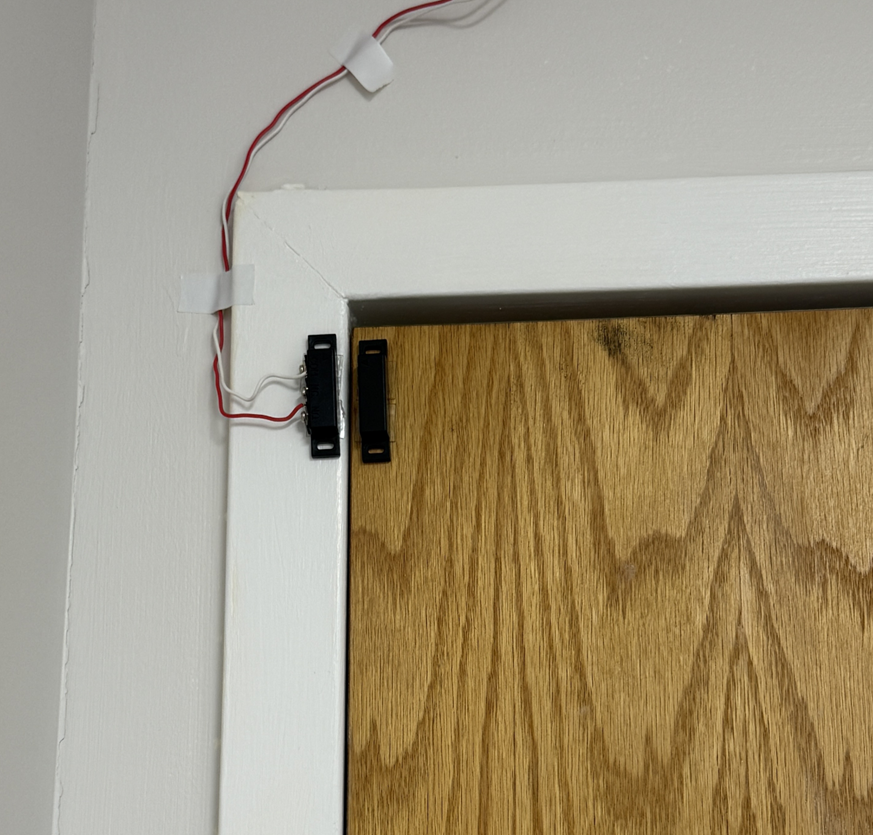
Back door setup
To make this data usable by netTerrain, we also needed devices that could convert the dry contact signals into protocols supported by the platform. In a real data center, these sensors might already be integrated into cabinet hardware and could communicate via Modbus, SNMP, or a vendor-specific API. netTerrain supports all of these approaches, but since we did not have such hardware readily available, we created this lab environment to simulate the scenario.
The setup used two different converters:
- Back Door: iSMA-B-8I-IP (wired, Modbus/BACnet)
- Front Door: Temco T3E-22i (wireless, SNMP)
Each door sensor was wired directly to its respective converter. Both converters were connected to the lab network and assigned IP addresses within the same /24 subnet.
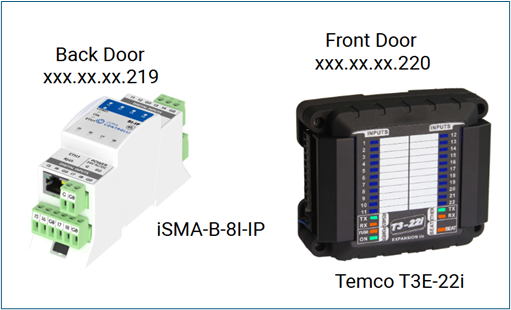
Modbus and SNMP Converters
Because we had two doors to monitor, we took the opportunity to test two different converter types:
- One converter supporting SNMP over a wireless connection
- One converter supporting Modbus and BACnet over a wired connection
Architecturally, the setup was straightforward:
- Two doors
- One magnetic sensor per door
- Each sensor wired to a protocol converter
- Each converter connected to the network
The back door sensor was connected to an iSMA-B-8I-IP converter, which was wired to a lab switch using an RJ-45 cable. The front door sensor was connected to a Temco T3E-22i converter, which was wirelessly connected to the network. Both devices were configured with static IP addresses.
Software Setup and Challenges Encountered
The purpose of each converter is to translate the dry contact signal into a protocol recognized by the data center infrastructure management (DCIM) platform. Focusing on the back-door setup, the iSMA-B-8I-IP outputs door open/close events using Modbus.
netTerrain natively understands Modbus and can store door activity as time-series data. We deliberately chose Modbus instead of SNMP because:
- SNMP is not widely used in many industrial environments
- Modbus provides a strong example of a protocol that does not rely on discovery
- This scenario was not already represented in our lab environment
netTerrain supports Modbus through its Modbus connector. Connectors act as southbound components to the netTerrain collector, translating protocol-specific data into a common API and persisting it in the netTerrain database.
One challenge with this approach is that the Modbus connector does not support continuous polling by default. Polling is essential in this use case as door traffic must be measured in near real time. To address this, Brad Irvin, one of our engineers, extended the Modbus connector component to allow for asynchronous data pushing into the time-series database triggered immediately after an event detection. For rapid deployment, this modification bypassed the polling interface and the netTerrain application layer.
Door activity data is stored in a QuestDB database, where it can be queried and reported over different time intervals—hourly, daily, weekly, or monthly.
Another challenge we encountered was the way counters were represented in embedded time-series reports in netTerrain. In particular, the door openings were stored as an ever-increasing counter which did not lend itself for reporting since we wanted to see counts per time period, and not as an absolute ever-increasing value. For that purpose, we extended the reporting capabilities to include a formula that would compute and display the door openings as a time-based frequency (akin to bandwidth).
Results
The primary objective of this experiment was to validate that the combination of Modbus as a protocol and netTerrain as a DCIM platform can produce actionable time-series data related to physical security.
Once both sensors and converters were connected, configured, and actively sending data, netTerrain began recording door open/close events. By selecting the sensor converters within netTerrain, we were able to generate time-series reports that visualize foot traffic through each door.
In sum, the tasks performed to support this setup included:
- Procurement of hardware, including sensors and converters
- Hardware installation and testing
- Configuration and networking of converters
- Extension of the Modbus connector
The final result was a time-series report for each converter (door) showing hourly, daily, weekly and monthly door activity.
In a data center context, this same approach can be used to monitor cabinet and rack door activity, providing valuable insights into access patterns and supporting auditing and security requirements.
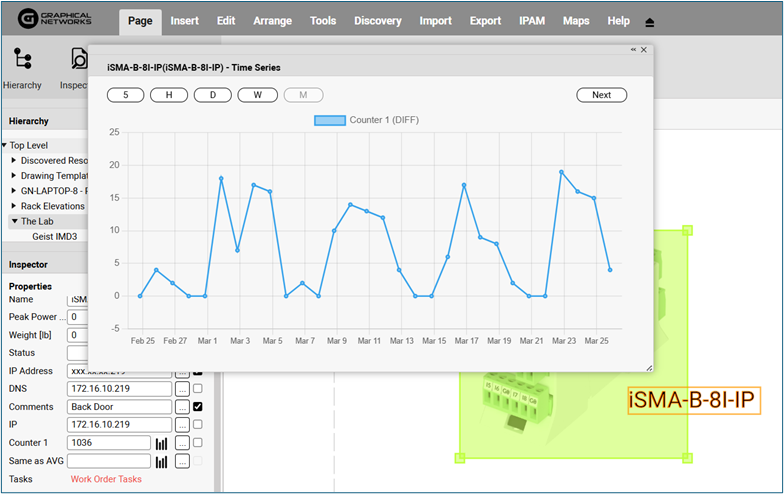
Resulting door traffic graph displayed in netTerrain
